Training the Trainer
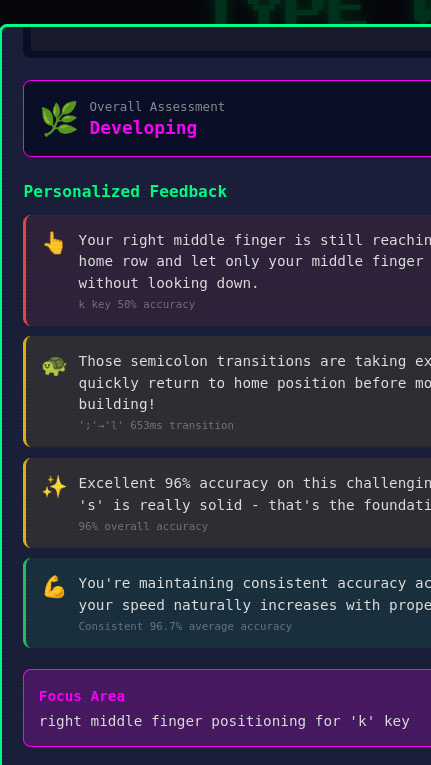
Teaching someone how to type (QWERTY) has basically been done the same way since your '90s middle school class. But if you had to train a typing instructor, where would you start? Since the technique is basically universal, from scratch is maybe not the smart move.
Universal Typing Instruction
Pinky on 'A'. Ring finger on 'S'. Index fingers home on 'F' and 'J'. Start with home row, add reaches, build speed. That's it. That's typing instruction everywhere. My only hope is to make it dynamic, personalized, and fun enough that it works for more people, especially kids.
The fundamentals haven't changed since typewriters. The physics of efficient finger movement are expected and deterministic yet the way each student is individually taught would likely differ. The training for typing instruction is already standardized, so we can use that same foundation to easily build AI.
Pedagogy (Teacher Training)
Pedagogy is the study of how knowledge and skills are imparted in an educational context—in our case, typing instruction, mentorship, and tutoring.
Instead of building complex machine learning models to "discover" how to teach typing, I took a more direct approach: I used AI deep research to generate a quality pedagogy document as a starting point.
This document became the bridge between human expertise and AI capability and captures basic instructional direction:
- Finger-to-key mappings: Which finger should press which key
- Common error patterns: Typical mistakes learners make and why
- Timing expectations: What constitutes good vs. problematic keystroke timing
- Feedback principles: How to deliver corrections constructively and progress over stages
It isn't a training dataset in the traditional ML sense. It's a structured knowledge document that encodes expert understanding of how typing should be taught.
How It Works
The pedagogy document serves multiple purposes in the system:
-
System Prompt Foundation: Key principles are distilled into the AI's system prompt (plain but complex English language), giving it consistent pedagogical grounding for every interaction.
-
Analysis Engine: The finger mappings and timing thresholds are encoded directly into the keystroke analyzer, providing deterministic rule-based analysis.
-
User Guide Generation: The same pedagogy document was used to generate the in-app typing manual, ensuring consistency between what the AI teaches and what users read.
The AI doesn't need to "learn" that the pinky should press 'A'. It's told explicitly through the pedagogy. What the AI does provide is natural language generation: taking the structured analysis and delivering it as personalized, encouraging feedback.
Why Not More Advanced ML Techniques?
When designing this approach, consideration for more advanced techniques were ruled out for the initial version.
Retrieval-Augmented Generation (RAG) shines when you have a large, frequently-changing knowledge base that won't fit in context. For our typing tutor, it's unnecessary:
- The pedagogy is ~2,000 tokens—easily fits in a prompt
- The principles rarely change since typing fundamentals are stable
Reinforcement Learning (RL) excels when the optimal strategy is unknown and you have massive interaction data to learn from but here we know proper typing technique—no discovery needed. Also at this stage we lack the massive interaction data RL requires.
AI Generation
Here's how I actually built the typing pedagogy:
-
Deep Research: I prompted Claude with a deep research request for comprehensive typing instruction methodology. It synthesized decades of typing pedagogy into a structured document.
-
Save as Markdown: The output was pure Markdown. Simple, readable, version-controlled. I saved it directly into my project.
-
Contextualize with Claude Code: I then used Claude Code to modify the pedagogy with specific knowledge of TypeWithAI. The tool knows about my virtual keyboard display, level progression, the hand-tracking, and keystroke metrics. Claude Code adapted the generic pedagogy to reference these specific features to improve user training.
-
Generate User Guide: I then used Claude Code to generate an instructional document with the pedagogy grounding for game setup and offline reference.
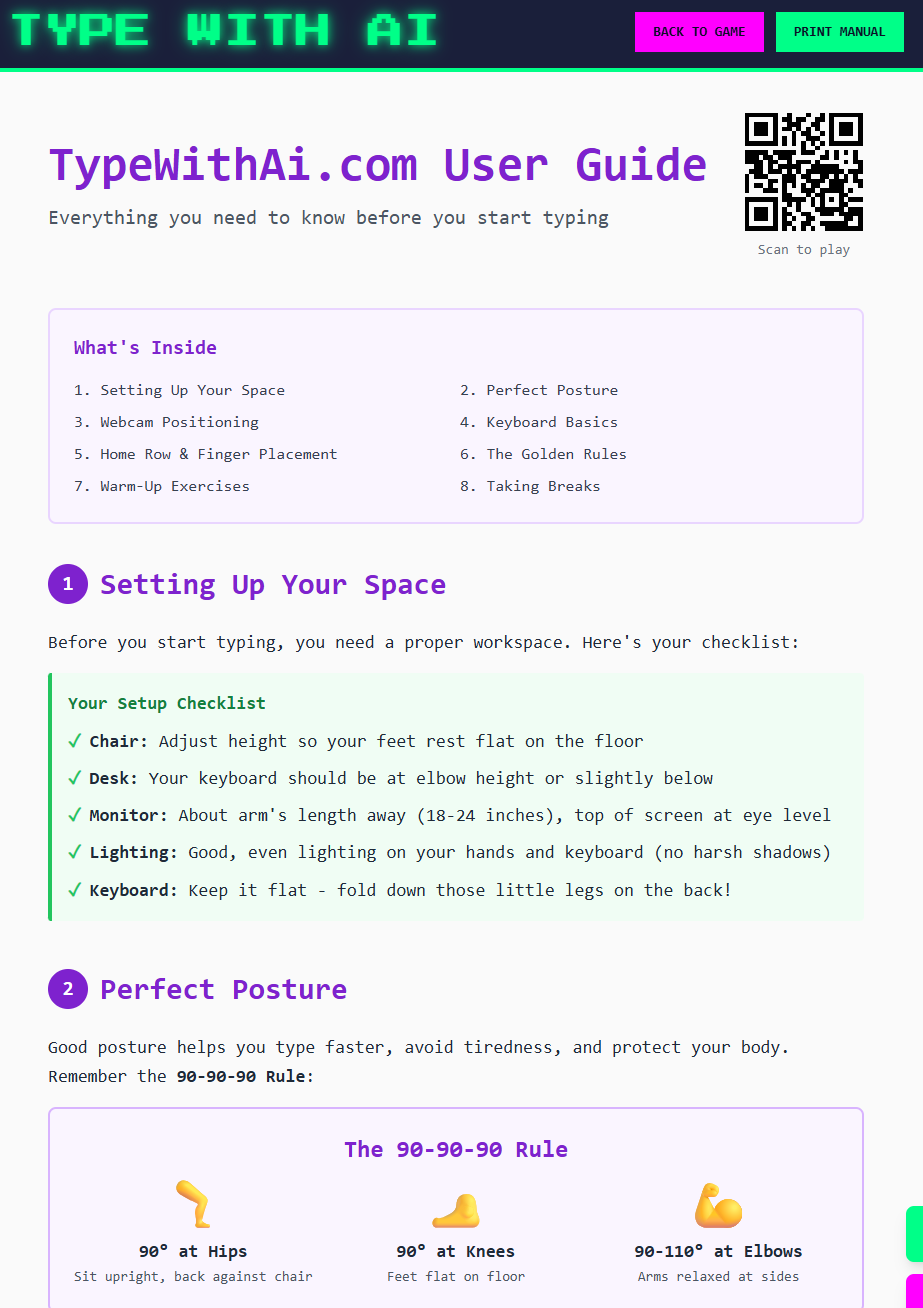
The result is a detailed train-the-trainer guide customized to the game to help teach and encourage typing learners to improve. From that, a friendly user setup guide, reference guide, and system prompts are generated.
Modern LLMs have good reasoning ability with this setup based on initial testing, but in the future a dataset can be used to measure the performance of different models and even build my own if the volume goes up. This setup could support adding AI chat capability so students could chat with the AI tutor in the future.
What is it analyzing?
In previous stories I wrote about using hand tracking technology so you can imagine that data is being used by the grounded LLM typing coach. In future posts I can get into more of the details of the analysis service, about the system prompt and more.
Try It Yourself
The AI typing tutor is live at typewithai.com. The beta is currently invite-only, so DM me on LinkedIn if you want early access to test and provide feedback.